









You placed the order. You’ve probably already rearranged your skincare shelf in your head to make room for it. And now you’re stuck refreshing a tracking page that hasn’t changed in three days. If that’s you right now, you’re not doing anything wrong — this is just how YesStyle shipping tends to go, and once you know where to actually look, it stops being so nerve-wracking.
Here’s what’s really going on with YesStyle tracking, where to find your number, and what’s normal versus what’s actually worth contacting support about.
First, understand that YesStyle orders don’t ship the way Amazon does
This is the part people miss. YesStyle ships out of warehouses in Asia, and a lot of orders pass through at least two different shipping networks before landing in your mailbox — say, a regional courier that hands off to your country’s postal service. That handoff is where most of the “why isn’t my tracking updating” panic comes from. It’s not broken. It’s just changing hands.
So when you’re checking your order, keep in mind you might be looking at status updates from more than one carrier depending on which stage it’s in.
How to actually check where your order is
There isn’t one single “YesStyle tracker” page you bookmark and forget about — it depends a bit on how your order shipped. But in practice, most people use one of these.
Log into your account. This is honestly the easiest route. Go to My Orders, click into the specific order, and the tracking number (if one’s been generated) will be sitting right there along with a status. If you ordered as a guest, YesStyle also has a guest order lookup where you punch in your order number and email.
Use the tracking number from your shipping email. Once your order actually leaves the warehouse — not when you place it, when it ships — you’ll get a separate email with a tracking number. You can drop that number straight into the carrier’s own tracking page. If you got Express Shipping, this is probably FedEx, DHL, or UPS. If you went with Standard or Premium Standard, it’s more likely routed through your local postal service.
Quick way to guess which carrier you’re dealing with just from the number: a long 20-plus digit string is almost always USPS. Something around 10-12 digits, no letters, is usually FedEx. If it’s shorter and starts with letters mixed in, that’s often a regional courier.
Run it through a third-party tracker if you’d rather not hunt down which carrier it is. Sites like 17TRACK or TrackingMore will take a YesStyle tracking number and figure out the right carrier for you, then pull the status. Useful if your package changes hands mid-route and you don’t want to babysit two different tracking pages.
Can’t find a tracking number at all?
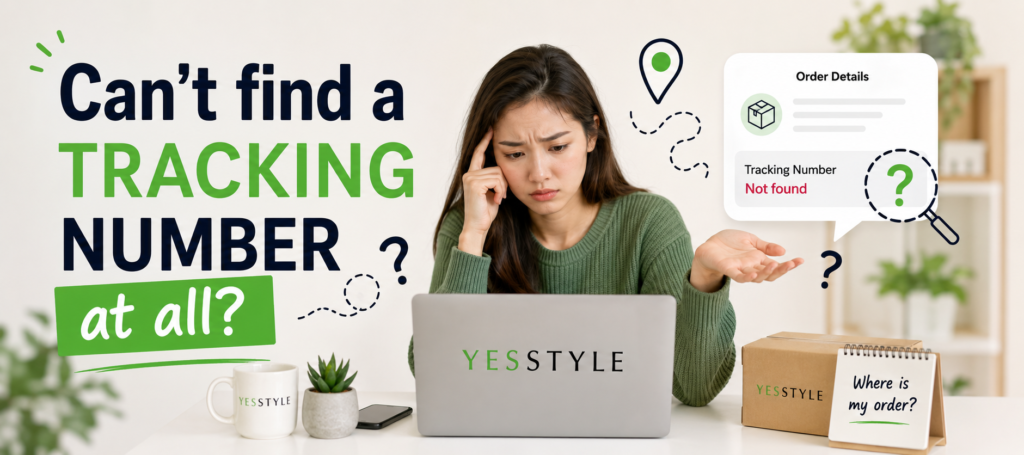
Before you panic, check these in order — nine times out of ten it’s in one of them:
- The confirmation email you got right after ordering (sometimes has a placeholder, not the real number yet)
- The actual shipping notification email, sent once it’s left the warehouse
- Your account, under the order’s shipping details
- If it’s a return you’re trying to track, the label itself
If none of those have anything, it almost always just means your order hasn’t shipped yet. YesStyle doesn’t hand out real tracking numbers until the package is physically in a courier’s hands, so an order that’s still “processing” won’t have one, and that’s expected.
Why the status hasn’t moved in days (and when that’s actually fine)
I’ll be honest — this is the part that trips people up most, and it’s rarely as alarming as it looks.
A package can sit with no scan for a day or two right after shipping simply because the first courier hasn’t logged it into their system yet. That’s normal. It can also go quiet for a stretch while it’s being transferred from one shipping network to another, which, again, happens a lot with cross-border orders. And then there’s customs — once a parcel crosses into your country, it can sit in a queue for inspection with zero visible updates, and there’s genuinely nothing anyone can do to speed that part up except wait it out.
Where it starts being worth actual concern: if you’re well past the shipping window YesStyle quoted you at checkout, and there’s been no movement at all — not even a transfer scan — for something like a week or more. That’s a fair point to stop waiting and start asking.
If it really does seem stuck
A few things worth trying before you assume the worst:
Double-check you typed the tracking number correctly — one wrong digit and you’re either staring at someone else’s package or a dead-end error page. Try running it directly on the carrier’s own site instead of a third-party aggregator, since sometimes the aggregator lags a bit behind the source. And if you’ve done all that and it’s genuinely gone silent past the expected delivery window, reach out to YesStyle customer service with your order number, the email you used, and your shipping address — you don’t need the tracking number for them to look into it, which surprises a lot of people.
The bottom line
International shipping just isn’t going to feel as tidy as tracking a local delivery, and YesStyle orders in particular go through more hand-offs than most. That’s not a flaw in the system, it’s just the tradeoff for ordering from overseas. Between your account, your shipping email, and the carrier’s own page, you’ve got enough visibility to know roughly where things stand — and now you know the difference between “still moving through the system” and “time to actually reach out.”

Mikhaila Olena is a lifestyle writer and content creator behind Living Smart Daily, dedicated to sharing practical ideas, thoughtful insights, and everyday inspiration. With a passion for simple living and meaningful choices, she crafts content that helps readers create a more balanced, organized, and fulfilling life.



One comment on “Where’s My YesStyle Order? A Real Guide to Tracking It”